Video Compressor
Compress Google Photos video automatically
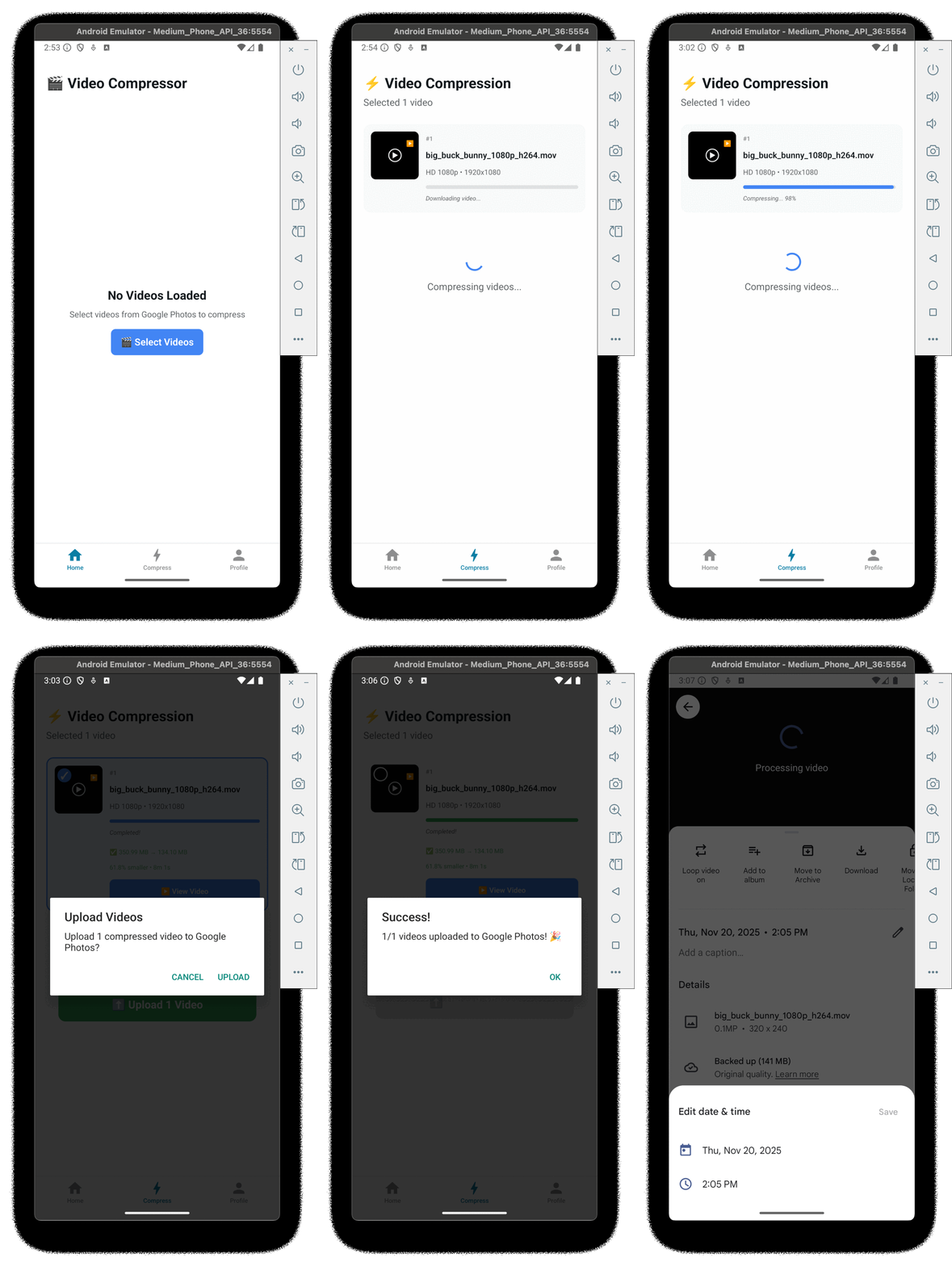

How it works
1
Login with your Google Account
Securely connect your Google Photos
2
Select largest video on Google Photo
Tip: add to favorite to find it faster
3
Compress it
Reduce video size while maintaining quality
4
Upload it
Send the compressed video back to Google Photos
5
Change the date manually from Google Photo
Keep your timeline organized
Privacy & FAQ
DISCLAIMER: The application is privacy based, NO DATA is stored in a server, everything runs locally on your personal device.
Privacy Summary
Video Compressor operates locally on your device. We do not store videos or user data on our servers.
- What we access: basic Google account info (name, email, avatar, user ID) and Google Photos when you grant permission.
- What we store: local stats (videos compressed, space saved) and temporary files that are deleted after use.
- Security: tokens are kept in platform secure storage (Keychain / Keystore) and temporary files are removed after upload.
Limits
Compressing videos locally has some limitations:
- Date/time metadata: it is not possible to preserve or set an older timestamp programmatically; the compressed video will have the current date and you may need to update it manually in Google Photos.
- Background processing: compression cannot run as a background task yet (work in progress).
- Selection/filtering: Google Picker does not support filtering by file size. To find large videos quickly, mark them as favorites.
FAQ & Controls
How the app behaves and what you can control:
- Permissions: you can revoke Google access from your Google Account settings at any time.
- Data removal: uninstalling the app or clearing app storage removes local data and stats.
- Third parties: only Google sign-in / Google Photos APIs are used when necessary; we request minimal permissions.